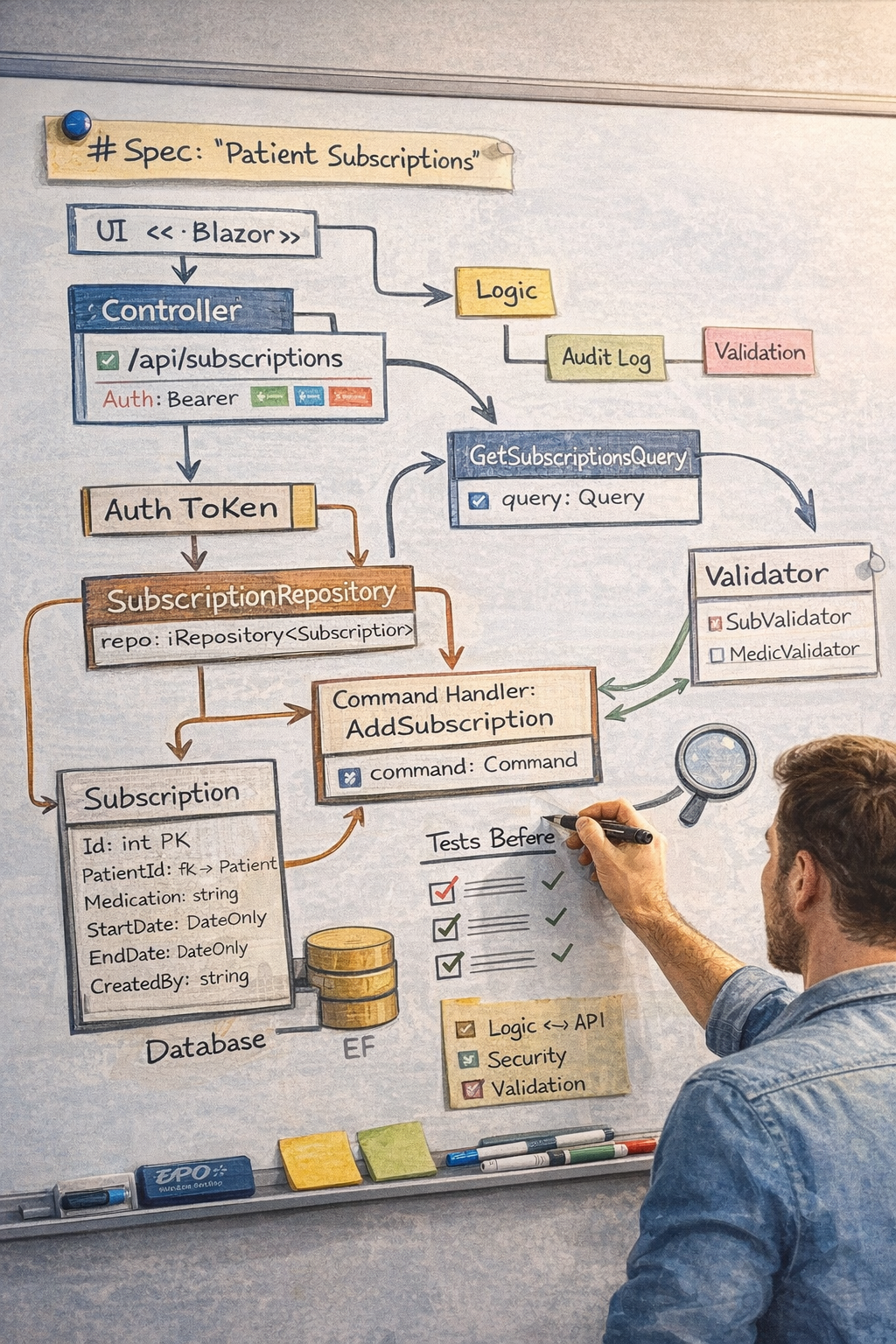
AI coding tools have made it remarkably easy to generate software at speed. They can scaffold features, sketch architecture, wire endpoints, and fill in boilerplate in a matter of minutes. That speed is real, and in the right hands it is valuable. But it also creates a new kind of risk: teams can move from idea to implementation so quickly that they skip the thinking that keeps a system coherent.
This article is about that missing discipline. More specifically, it is about the spec-driven development process: how to turn a vague feature request into a clear specification, a reviewed plan, and a sequence of small, testable steps that keep the developer in control. The goal is not to slow AI down. It is to give that speed structure, so that what gets built still reflects deliberate design rather than improvised output.
If Part 1 was about principles and tooling, this article is about workflow. We will look at how specifications, plans, and Red-Green-Refactor with human gates fit together into a practical process you can actually use on a real project.
The Problem: Vibe Coding Feels Fast Until It Doesn't
Most teams experimenting with AI coding assistants fall into the same trap.
Someone types:
"Add a subscriptions feature to the app."
The model starts working. Entities appear. Repositories show up. Controllers and DTOs materialize. A page gets scaffolded. Twenty minutes later there are fifteen new files across half the solution, and at first glance it all looks plausible.
That is exactly the danger.
The code often looks coherent long before it actually is. The entity does not match the database schema. The DTO exposes fields the UI never uses and misses fields it needs. The controller returns a shape the client does not expect. Naming drifts away from the rest of the codebase. Tests are missing or meaningless. And the developer, who is still accountable for the result, can no longer explain why the design looks the way it does.
That is what I mean by vibe coding: using AI in a way that creates the feeling of momentum while steadily eroding control.
The alternative is spec-driven development. Instead of asking the AI to improvise, you give it a clear contract, a reviewed plan, and a tight execution loop. The model still writes code, but it does so inside a process the developer controls.
The Three Pillars
In practice, spec-driven development with AI rests on three pillars:
- Specifications — define what should be built before code exists.
- Plans — break the work into small vertical slices before implementation starts.
- Red-Green-Refactor with human gates — implement one verified step at a time.
Each pillar solves a different failure mode.
- Specs stop the AI from guessing.
- Plans stop the AI from wandering across the architecture.
- Red-Green-Refactor with gates stops mistakes from compounding across multiple steps.
Once these three are in place, the AI becomes much more useful. It stops behaving like an overeager intern and starts behaving like a disciplined teammate.
Pillar 1: Specifications — The Contract Between the Developer and the Model
Why Specs Matter
Without a spec, the AI is forced to infer intent from a vague prompt.
"Add subscriptions" sounds simple, but it leaves too many decisions open:
- What properties does a subscription have?
- Who is allowed to create one?
- Which validation rules apply?
- Which endpoints are required?
- What happens when there are no subscriptions?
- What is intentionally out of scope?
The model will happily answer all of those questions for you. The problem is that it answers them by guessing.
A good specification removes that guesswork. It captures the things the AI should not invent for itself:
- Who the feature is for
- What the user can do
- Acceptance criteria for done
- Data model and constraints
- API surface
- Business rules and expected error messages
- Edge cases
- Out-of-scope items
Once this exists, the developer and the AI are working from the same contract.
A Concrete Spec Example
Here is a realistic spec for a "Patient Subscriptions" feature:
# Spec: Patient Subscriptions

## User Story

**As a** patient,
**I want to** view my active medication subscriptions,
**So that** I can track which medications are being dispensed on my behalf.

---

## Acceptance Criteria

| # | Given | When | Then |
|---|-------|------|------|
| AC-1 | Patient is authenticated | They navigate to /subscriptions | A list of active subscriptions is displayed |
| AC-2 | Patient has no subscriptions | They navigate to /subscriptions | An empty-state message is shown |
| AC-3 | A subscription has expired | The list is loaded | Expired subscriptions are not shown |
| AC-4 | Doctor creates a valid subscription | They submit the form | The subscription appears in the patient's list |
| AC-5 | Doctor submits invalid data | They click Save | Validation errors are shown and nothing is persisted |

---

## Data Model

### Entity: `Subscription`

| Property | Type | Required | Constraints |
|----------|------|----------|-------------|
| Id | int | PK | Auto-generated |
| PatientId | int | Yes | FK -> Patient |
| MedicationName | string | Yes | Max 200 chars |
| StartDate | DateOnly | Yes | Must be today or later |
| EndDate | DateOnly | No | Must be after StartDate |
| CreatedBy | string | Yes | Doctor's national register ID |

---

## API Endpoints

### `GET /api/subscriptions?patientId={id}`
**Purpose**: Return active subscriptions for a patient.
**Auth**: Bearer (patient or doctor role)
**Response** (200):
```json
[
  {
    "id": 1,
    "medicationName": "Metformin 500mg",
    "startDate": "2026-04-01",
    "endDate": "2026-10-01"
  }
]
```
**Error responses**: 401 -> Unauthorized, 403 -> Wrong patient

### `POST /api/subscriptions`
**Purpose**: Create a new subscription.
**Auth**: Bearer (doctor role only)
**Request body**:
```json
{
  "patientId": 42,
  "medicationName": "Metformin 500mg",
  "startDate": "2026-04-01",
  "endDate": "2026-10-01"
}
```
**Response** (201): Created subscription
**Error responses**: 400 -> Validation errors, 401, 403

---

## Business Rules

| # | Rule | Error message |
|---|------|---------------|
| BR-1 | MedicationName is required | "Medication name is required" |
| BR-2 | StartDate must be today or later | "Start date cannot be in the past" |
| BR-3 | EndDate, if provided, must be after StartDate | "End date must be after start date" |
| BR-4 | Only doctors can create subscriptions | HTTP 403 |

---

## Out of Scope

- Editing or deleting subscriptions
- Medication lookup or auto-complete
- Notifications when a subscription is created
- Prescription history
This is not documentation for documentation's sake. It is the minimum structure needed to stop the AI from improvising on critical details.
What the Spec Actually Buys You
The value of a spec is not abstract. It shows up immediately in review.
If the AI writes validation logic using >= instead of >, you can point directly to BR-3. If it adds edit and delete endpoints, you can point to the out-of-scope section. If it makes EndDate required, you can point to the data model.
That changes the developer's role. Instead of arguing with code, you are validating implementation against an agreed contract.
Writing the Spec with AI
This is one of the most useful ways to use AI early in the process.
You do not need to sit down and write the whole spec from a blank page. A better approach is an interview-style prompt that asks focused questions and assembles the answers into a structured _specs/<FeatureName>.md file.
That is why this repo now includes a dedicated write-spec prompt. The workflow is simple:
- The developer brings the feature idea.
- The AI runs a short Q&A session.
- The AI drafts the user story, acceptance criteria, data model, API surface, business rules, edge cases, and out-of-scope section.
- The developer reviews and adjusts the spec.
- Only then does planning begin.
This matters because the interview happens at the right level. You are discussing intent, not classes and folders. That keeps the conversation grounded in product and business behaviour before implementation details take over.
When to Write Specs
Not every change needs a specification.
- Spec required: new feature, new user-facing behaviour, new API surface
- Spec optional: larger refactor, infrastructure change, architecture decision
- No spec needed: bugfix, config correction, 1-2 file change
In this workflow, specs live at _specs/<FeatureName>.md in the repository root.
Pillar 2: Plans — Turning Intent into an Execution Strategy
From Spec to Plan
The spec defines what should exist. The plan defines how the work will be delivered.
That distinction matters.
The spec says, "patients can view subscriptions" and "doctors can create subscriptions." The plan says, "first build the list page with a stubbed service, then wire it to the real API, then build the create form, then wire the create flow." The plan translates intent into an ordered set of implementation steps.
A plan lives at _plans/<FeatureName>.md. Each step is one Red-Green-Refactor cycle with explicit scope, tests, proof criteria, and a human gate.
The Planning Gate
Before any code is written, the plan must be reviewed and approved.
This is the hard stop between thinking and doing.
The AI should ask a simple question:
Does this change need a plan?
| Situation |
Plan required? |
| New feature or vertical slice |
Yes |
| Change touching 3+ files |
Yes |
| Risk area: auth, PII, DB schema, shared contracts |
Yes |
| 1-2 file bugfix |
No, but still test-first |
| Config correction or simple refactor |
No |
If the answer is yes, the AI writes the plan and stops. No production code starts until the developer approves it.
That single rule prevents a remarkable amount of wasted work.
Vertical Slices, Not Horizontal Layers
This is the planning principle that matters most.
The natural instinct, for both humans and models, is to decompose work by layer:
Step 1 — Create the Subscription entity
Step 2 — Add SubscriptionRepository
Step 3 — Create SubscriptionCreateHandler
Step 4 — Add GET endpoint
Step 5 — Add POST endpoint
Step 6 — Build the subscriptions list page
Step 7 — Build the create form
It looks organized. In reality, it delays feedback and pushes integration risk to the end.
By the time you reach the UI, you may discover that the entity shape is wrong, the DTO is incomplete, the query returns the wrong projection, or the route contract does not match the client. Now several "completed" steps have to be reopened.
Vertical slicing avoids that by planning around user-visible behaviour instead of technical layers:
Step 1 — Display subscription list (stubbed)
Step 2 — Wire subscription list to real API
Step 3 — Create subscription form (stubbed)
Step 4 — Wire subscription create to real API
Each slice has two phases:
- Stub — build the UI against a fake or mocked service so the user can validate the experience early.
- Wire — replace the stub with real production code from controller to persistence and database.
This gives you three practical advantages:
- You fail fast. Contract mismatches show up on Step 2 instead of Step 7.
- You get UI feedback early. The user can review the shape of the feature before backend code sprawls.
- You reduce blast radius. If something changes, one slice moves, not the whole architecture.
A Concrete Plan Example
Here is a more realistic plan for the subscriptions feature:
# Plan: Patient Subscriptions — Patient views active medication subscriptions

## Overview
Patients can view their active medication subscriptions. Doctors can create new
subscriptions. Reference feature: **Doctors**.

---

## Step 1 — Display subscription list (stubbed)

**Scope** *(Presentation only — stub phase)*:
- `src/Presentation/Subscriptions/ViewModels/SubscriptionsViewModel.cs` *(create)*
- `src/Presentation/Subscriptions/ServiceClients/ISubscriptionServiceClient.cs` *(create)*
- `src/Presentation/Subscriptions/ServiceClients/SubscriptionServiceClientStub.cs` *(create)*
- `src/Presentation/Subscriptions/Pages/Subscriptions.razor` *(create)*
- `src/Contracts/Subscriptions/Api/SubscriptionDto.cs` *(create)*
- `src/Test/Unit/Presentation/Subscriptions/SubscriptionsViewModelTests.cs` *(create)*

**RED**:
- Test: `InitializeAsync_WithSubscriptions_LoadsList`
- Command: `{{TestExePath}} --filter "SubscriptionsViewModelTests"`

**GREEN**:
- `SubscriptionDto` with Id, MedicationName, StartDate, EndDate
- `ISubscriptionServiceClient` with `GetByPatientAsync(int patientId)`
- Stub service returning three fake subscriptions
- `SubscriptionsViewModel` with `IsBusy` guard and `InitializeAsync`
- `Subscriptions.razor` bound to `ViewModel.Items`

**DB changes**: none

**🛑 HUMAN GATE**:
- [ ] Behavioral: ViewModel test passes and the page renders three stubbed items
- [ ] Review: Page layout matches the reference feature pattern

---

## Step 2 — Wire subscription list to real API

**Scope** *(all backend layers — wire phase)*:
- `src/Core/Domain/Functionalities/Subscriptions/Subscription.cs` *(create)*
- `src/Core/Persistence/EntityTypeConfigurations/SubscriptionConfiguration.cs` *(create)*
- `src/Core/Persistence/Repositories/SubscriptionRepository.cs` *(create)*
- `src/Core/Application/Functionalities/Subscriptions/Queries/GetSubscriptions/` *(create)*
- `src/Host/Client/Controllers/SubscriptionController.cs` *(create — GET only)*
- `src/Database/Scripts/0001_CreateSubscriptionTable.sql` *(create)*
- `src/Presentation/Subscriptions/ServiceClients/SubscriptionServiceClient.cs` *(create — real Refit-backed service client)*
- `src/Presentation/Shared/ServiceClients/Bff/Clients/ISubscriptionClient.cs` *(create)*
- `src/Test/Unit/Application/Subscriptions/GetSubscriptionsQueryTests.cs` *(create)*
- `src/Test/Integration/Endpoints/Subscriptions/GetSubscriptionsTest.cs` *(create)*

**RED**:
- Unit: `Execute_WithActiveSubscriptions_ReturnsList`
- Integration: `GetSubscriptions_Authenticated_ReturnsOk`
- Integration: `GetSubscriptions_WrongPatient_ReturnsForbidden`

**GREEN**:
- `Subscription` entity and repository
- `IGetSubscriptionsQuery` and `GetSubscriptionsQuery`
- `SubscriptionController` GET `/api/subscriptions?patientId={id}`
- Refit client + real service client replacing the stub
- EF configuration + DbUp script

**DB changes**: `src/Database/Scripts/0001_CreateSubscriptionTable.sql`

**🛑 HUMAN GATE**:
- [ ] Behavioral: Integration tests pass and GET `/api/subscriptions` returns the expected list
- [ ] Review: Entity, query, repository, and controller follow the reference pattern

---

## Step 3 — Create subscription form (stubbed)

**Scope** *(Presentation only — stub phase)*:
- `src/Presentation/Subscriptions/ViewModels/AddSubscriptionViewModel.cs` *(create)*
- `src/Presentation/Subscriptions/Pages/AddSubscription.razor` *(create)*
- `src/Contracts/Subscriptions/Api/AddSubscriptionDto.cs` *(create)*
- `src/Test/Unit/Presentation/Subscriptions/AddSubscriptionViewModelTests.cs` *(create)*

**RED**:
- Test: `Submit_EmptyMedicationName_ShowsValidationError`
- Test: `Submit_ValidData_CallsService`

**GREEN**:
- `AddSubscriptionDto`
- `AddSubscriptionViewModel` with BR-1 through BR-3 validation
- Stub submission flow
- `AddSubscription.razor` with validated fields

**DB changes**: none

**🛑 HUMAN GATE**:
- [ ] Behavioral: Validation errors render correctly and valid submission calls the stub service
- [ ] Review: Form matches the business rules in the spec

---

## Step 4 — Wire subscription create to real API

**Scope** *(all backend layers — wire phase)*:
- `src/Core/Application/Functionalities/Subscriptions/Commands/AddSubscription/` *(create)*
- `src/Host/Client/Controllers/SubscriptionController.cs` *(modify — add POST)*
- `src/Presentation/Subscriptions/ServiceClients/SubscriptionServiceClient.cs` *(modify — add AddAsync)*
- `src/Test/Unit/Application/Subscriptions/AddSubscriptionHandlerTests.cs` *(create)*
- `src/Test/Integration/Endpoints/Subscriptions/PostSubscriptionTest.cs` *(create)*

**RED**:
- Unit: `Execute_ValidCommand_ReturnsSuccess`
- Unit: `Execute_PastStartDate_ReturnsFailure`
- Integration: `PostSubscription_ValidData_ReturnsCreated`
- Integration: `PostSubscription_MissingFields_ReturnsBadRequest`

**GREEN**:
- `AddSubscriptionCommand` and `AddSubscriptionCommandHandler`
- POST `/api/subscriptions`
- Real `AddAsync` implementation in the service client

**DB changes**: none

**🛑 HUMAN GATE**:
- [ ] Behavioral: Integration tests pass; valid POST creates a record; invalid POST returns 400
- [ ] Review: Authorization and business rules are enforced correctly
The important thing here is not the exact class names. It is the shape of the plan:
- step names describe behaviour
- each slice is completed before the next starts
- the stub phase is intentionally narrow
- the wire phase crosses layers on purpose
- every step has explicit proof and review criteria
The Interview Before the Plan
Good planning starts with the right questions.
Before an AI writes a plan, it should confirm that it has enough information to do so safely:
- Which existing feature is the reference pattern?
- What entities and properties are involved?
- Is there a database change?
- Are there relationships to existing entities?
- Which endpoints are needed?
- Which UI pages or routes are needed?
- Are there auth or claims requirements?
If any of that is missing, the AI should ask now, not halfway through implementation.
Pillar 3: Red-Green-Refactor with Human Gates
The Core Loop
Every plan step should run through the same execution loop:
READ      — Read the plan step and understand the scope.
RED       — Write the failing test first. Run it. Confirm it fails.
GREEN     — Write the minimum production code needed to pass.
REFACTOR  — Clean up without changing behaviour.
ANALYSE   — Run static analysis and fix issues.
PROVE     — Build, test, and format checks all pass.
🛑 STOP   — Present results and wait for human approval.
MARK DONE — After approval, update the plan checkboxes.
Three rules are non-negotiable:
- Never skip RED. The test must fail before production code exists.
- Never batch steps. One step, one proof cycle, one review.
- Never skip the human gate. Approval is part of the workflow, not an optional extra.
Why RED Must Come First
The most common AI mistake is writing the test and the production code at the same time.
It feels efficient, but it breaks the feedback loop.
If the test was never observed failing, you do not know whether it would have caught a real defect. The assertion may be wrong. The mock setup may be too permissive. The test may accidentally validate nothing.
When the test fails first and then passes after the code change, the relationship is clear. The test is meaningful, and the production code is the reason it now passes.
That matters even more with AI-generated tests, because they often look correct while hiding subtle mistakes.
RED-First in Practice
Take Step 2 from the subscriptions example: return active subscriptions for a patient.
The AI starts by writing the failing unit test:
[TestClass]
public class GetSubscriptionsQueryTests
{
[TestMethod]
public async Task Execute_WithActiveSubscriptions_ReturnsList()
{
var mockRepo = new Mock<ISubscriptionRepository>();
mockRepo.Setup(r => r.GetActiveByPatientAsync(42))
.ReturnsAsync(new List<Subscription>
{
new()
{
Id = 1,
PatientId = 42,
MedicationName = "Metformin 500mg",
StartDate = new DateOnly(2026, 4, 1),
EndDate = new DateOnly(2026, 10, 1),
},
});
var query = new GetSubscriptionsQuery(mockRepo.Object);
var result = await query.Execute(42);
Assert.AreEqual(1, result.Count);
Assert.AreEqual("Metformin 500mg", result[0].MedicationName);
}
}
At this point the test fails, because GetSubscriptionsQuery does not exist yet. Good. That is exactly what should happen.
Only then does the AI create the minimal production code: the repository contract, the query implementation, the mapping, and the endpoint path needed for the full slice. When the test turns green, you know it turned green for a reason.
The Human Gate
After the proof step, the AI stops and presents results.
For example:
Step 2 — Wire subscription list to real API

Build:   0 warnings, 0 errors
Tests:   24 passed, 0 failed
Format:  no changes required

🛑 HUMAN GATE:
- [ ] Integration test GetSubscriptions_Authenticated_ReturnsOk passes
- [ ] Query, repository, controller, and DTO follow the reference feature pattern
This is where the developer checks the behaviour and the design:
- Does the implementation satisfy the spec?
- Do the tests cover the acceptance criteria?
- Do the file locations and naming match the codebase?
- Are risk areas handled correctly?
Only after approval does the next step begin.
That gate is what prevents AI errors from cascading into later steps.
Bugfixes: Regression Test First
The same principle applies to bugfixes, just with a smaller workflow:
- Investigate the root cause.
- Write a regression test that reproduces the bug.
- Confirm it fails.
- Make the smallest fix.
- Confirm the test passes.
- Run the standard proof commands.
This keeps bugfixes honest. The AI does not get to poke at code until symptoms disappear. It has to prove it understands the failure first.
Progress Tracking Across Sessions
One of the hardest things about AI-assisted development is that sessions are ephemeral. Context disappears when the conversation ends.
Plan files solve that with a very simple convention: checkboxes on the human gate.
## Step 1 — Display subscription list (stubbed)
...
**🛑 HUMAN GATE**:
- [x] Behavioral: ViewModel test passes and the list renders with stubbed data
- [x] Review: Layout matches the reference feature

## Step 2 — Wire subscription list to real API
...
**🛑 HUMAN GATE**:
- [ ] Behavioral: Integration tests pass and GET /api/subscriptions returns data
- [ ] Review: Query, repository, and controller follow existing patterns
When a new session starts, the AI reads the plan and finds the first unchecked box. That is the next step.
No guesswork. No repeated work. No fragile reliance on chat history.
Encoding the Process into AI Instructions
What makes this approach practical is that the workflow is not just a team convention. It is encoded into the repo's instructions, agents, prompts, and skills.
That gives the model structure before the conversation even begins.
AGENTS.md — The Workflow Backbone
This file defines the planning gate, the mandatory workflow rules, the vertical-slice strategy, and the stop points.
It is the reason the AI knows that planning comes before coding and that one step must finish before the next begins.
planner.agent.md — The Planning Specialist
This agent is deliberately constrained. It can read the codebase and produce _plans/<FeatureName>.md, but it cannot write production code.
That separation matters. Planning is a different task from implementation, and mixing the two is where many AI workflows lose discipline.
copilot-instructions.md — Project Rules and Boundaries
This file tells the AI what kind of system it is working in: project structure, naming rules, dependency boundaries, verification commands, and critical architectural constraints.
It answers questions the AI should not answer by improvisation.
write-spec.prompt.md — AI-Assisted Specification Writing
This prompt fills an important gap in the process.
Before planning, it interviews the developer section by section and produces _specs/<FeatureName>.md from the spec template. It turns a vague idea into something concrete enough to plan safely.
build-feature/SKILL.md — The Execution Engine
This skill tells the AI how to execute an approved plan step using the right layer patterns and proof loop. It does not replace judgement, but it gives the model reliable rails.
Supporting Project-Level Folders
The wider workflow also benefits from a small set of project-level folders with clear intent:
_specs/ for feature specifications_plans/ for approved implementation plans_decisions/ for ADRs and architectural choices_qa/ for smoke-test plans and QA artifacts_infrastructure/ for infrastructure specs and environment records
None of these are complicated. Their value comes from being explicit, predictable, and easy for both humans and AI to discover.
Putting It All Together
At a high level, the workflow looks like this:
Idea -> Spec -> Plan -> Step 1 -> Review -> Step 2 -> Review -> Step 3 -> Review -> Step 4 -> Review
More concretely:
- A developer identifies a feature.
- The AI helps write the spec through a focused Q&A session.
- The planner reads the spec and the codebase, then proposes a vertical-slice plan.
- The developer approves the plan.
- The AI implements one step at a time using Red-Green-Refactor.
- After each step, the AI proves the result and stops for review.
- The plan file tracks progress across sessions.
This keeps the developer in control of design while still capturing the speed benefits of AI-assisted implementation.
Summary
| Aspect |
Vibe Coding |
Spec-Driven Development |
| Starting point |
Vague prompt |
Structured spec |
| Planning |
None or implicit |
Explicit plan approved before coding |
| Decomposition |
Ad hoc or by layer |
By user-visible behaviour |
| Testing |
Optional or late |
RED-first and mandatory |
| Verification |
Eyeballing the output |
Build, tests, analysis, format |
| Human involvement |
Mostly at the end |
At every gate |
| Session continuity |
Fragile |
Tracked in _plans/ |
| Accountability |
Diffuse |
Clear: human owns intent, AI executes |
The shift from vibe coding to spec-driven development is not about producing more documents. It is about preserving control.
The spec makes intent explicit. The plan makes execution deliberate. Red-Green-Refactor makes each change verifiable. Human gates keep the developer accountable.
AI is most useful when it accelerates a process you already trust. Without that process, speed just multiplies ambiguity.
With it, you get the best of both worlds: faster delivery and stronger control.
The practices described in this article are encoded in the open-source github-copilot-configs repository — a reusable template library of GitHub Copilot and Claude Code configuration files for .NET projects.
Previous: Part 1 — Best Practices for AI-Assisted Coding